Node editor
The node editor builds terrain from a visual graph: pick zones of the map, shape values, then send them to outputs that paint layers, set heights or pour water. Change a value and the preview follows; nothing touches the map until you apply. Applied outputs are then disabled, so they are not applied a second time; undoing the application enables them again.
Open it from View → Node Editor.
How a graph works
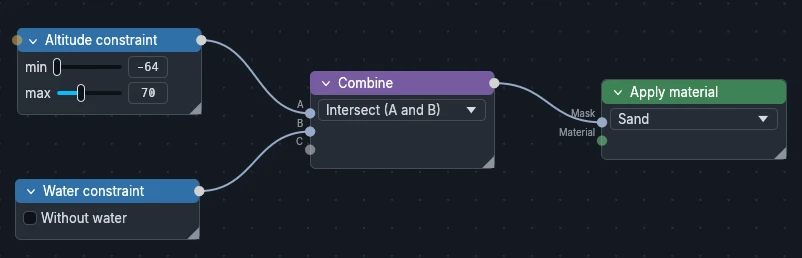
A graph reads from left to right. In this basic example, a Combine node joins two conditions, Altitude constraint and Water constraint, so that Apply material paints sand only where there is water, between -64 and 70 blocks high.
Node categories
Tool
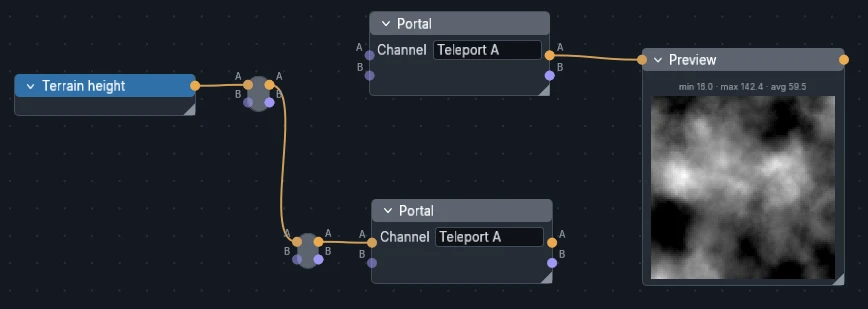
Tool nodes are Gray. They help organize the nodes and the links, without altering or processing the data. The Preview node is also useful to debug and visualize intermediate results.
Input
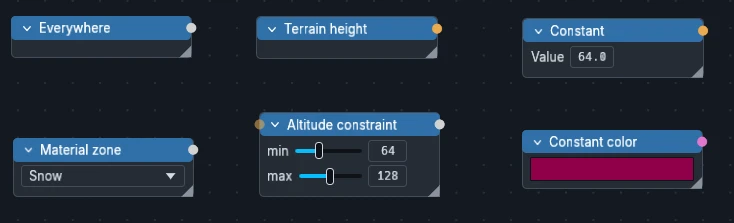
Input nodes are Blue. They are the starting point of a node graph: they read the map (altitude, slope, layers, water…) or create new values (constant, 2D noise, color, material…).
Operation
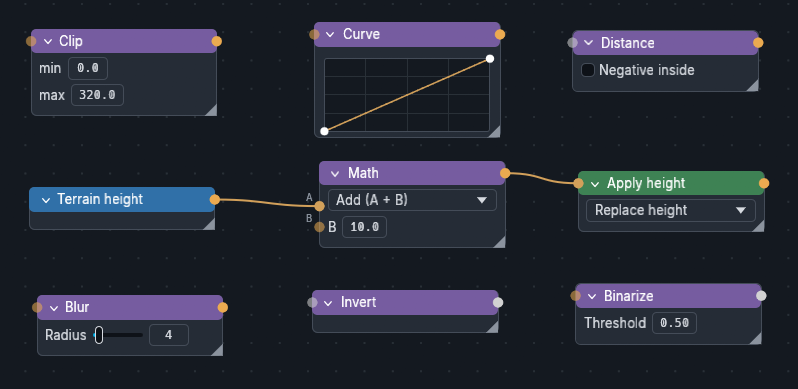
Operation nodes are Purple. They sit between inputs and outputs: they combine masks, transform values (math, curve, clip, blur, distance…) or process images and colors.
Output
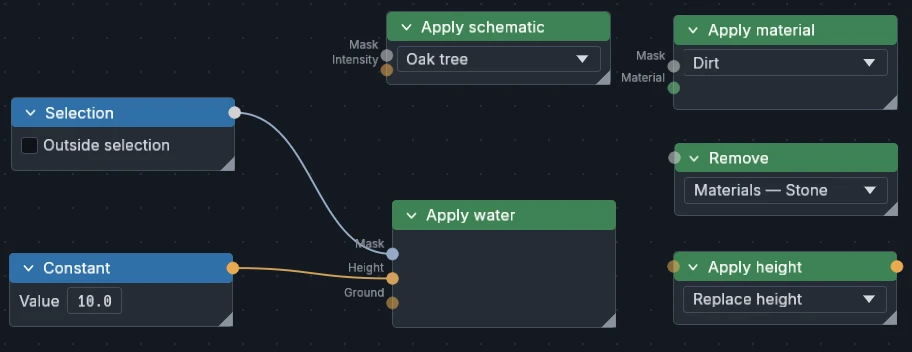
Output nodes are Green. They end a graph and write to the map: they paint materials and layers, set the height, pour water or remove layers.
Ports
Wires carry five kinds of data, each with its own port color. The two main ones are Mask and Scalar field; Image, Color and Material only show up in a few nodes.
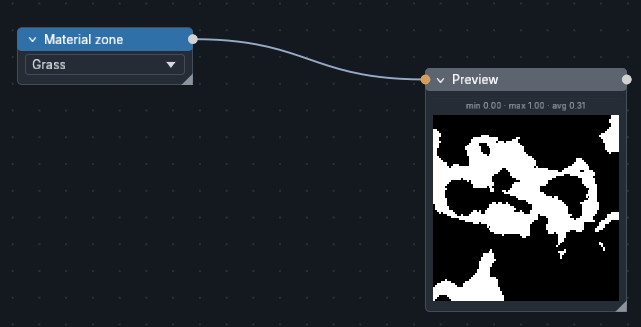
Mask
Yes or no for each cell: "this zone".
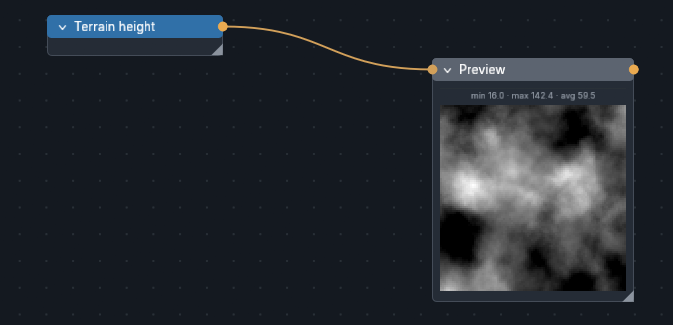
Scalar field
A number for each cell: height in blocks, noise 0..1, slope in degrees.
Image
The pixels of an image.
Color
A single color.
Material
A single material.
Organizing large graphs
Frames
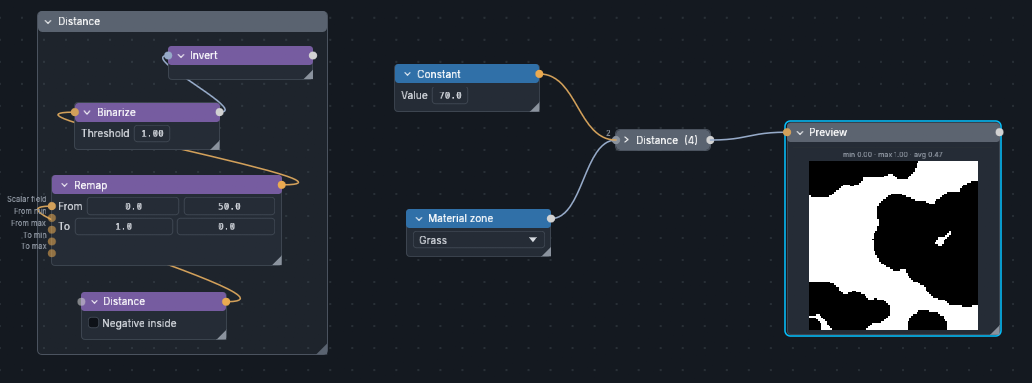
Frames group the parts of a graph that belong together, such as everything that builds the relief, under a title. A large graph stays readable, and a collapsed frame behaves like a single node with its own inputs and outputs.
Create one with a right click on the background → New frame, or around selected nodes with Frame selection. Moving a frame moves its content; its right click menu renames it, colors it, collapses it or applies only the outputs it holds.
Arrange
A right click on the background → Arrange lays the whole graph out left to right along its links: sources on the left, outputs on the right, with no overlap. Each frame is arranged inside, then moved as a block. Undo it with the graph history.
Frame library
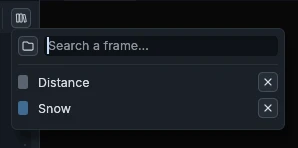
The frame library keeps your best setups, such as a snow cover or a river bank, so you can reuse them in any project instead of rebuilding them.
Right click on a frame → Save to library to add it. The Frame library button of the toolbar lists the saved frames: click one to insert it in the current graph.
Reroutes, portals and previews
Keep wires readable: bend them with Reroute dots, or replace a long wire with two Portals on the same channel. A Preview shows the value of any wire, with its min, max and average.
Node reference
(opt.) marks an optional input: left free, the node uses its own setting or reads the terrain.
Tools
| Node | In | Out | What it does |
|---|---|---|---|
| Reroute | Any | Same | Bends a wire. Connecting the last lane opens a new one |
| Portal | Any | Same | Portals on the same Channel pass on the value of the wired one |
| Preview | Any | Same | Thumbnail of the value, with min, max and average |
Inputs: zones
| Node | In | Out | What it does |
|---|---|---|---|
| Everywhere | — | Mask | The whole map |
| Selection | — | Mask | Inside the current selection, or outside |
| Point | — | Mask | The single cell X, Z. With Distance, the center of a circle or of a gradient |
| Altitude constraint | (opt.) | Mask | Cells between min and max height. A wired field is measured instead of the terrain |
| Slope constraint | (opt.) | Mask | Cells whose slope is between min and max degrees. Same option |
| Water constraint | — | Mask | Cells with water, or without: all water, the sea under the global level, or the local water of rivers and lakes |
| Material, Cover, Biome, Schematic, Annotation zone | — | Mask | Cells carrying the chosen item |
| Near a layer | Source (opt.), Distance (opt.) | Mask | Cells within or beyond a distance of a layer, of water or of the Source mask. Can exclude the layer itself |
| Layer | — | Mask, Intensity | Where a layer is painted, and its intensity 0..1 |
| Constraints set | — | Mask | A saved set of brush constraints |
| Noise zone | — | Band × N | Cuts a noise into bands: N thresholds give N+1 zones. Same noise types, octaves and seed as Noise field. Double click the bar to add a threshold, right click one to remove it |
Inputs: values
| Node | In | Out | What it does |
|---|---|---|---|
| Terrain height | — | Field | Height of the terrain, in blocks |
| Noise field | Scale, Octaves, Jitter, Sharpness, Seed (opt.) | Field | Continuous noise 0..1: White, Simplex, Voronoi or Ridged (simplex folded into mountain crests, Sharpness thins them). Every setting can be driven by a field |
| Constant | — | Field | The same value everywhere |
| Image import | — | Luminance, Image | An image file stretched over the map. The project keeps its path |
| Constant color | — | Color | A color |
| Material | — | Material | A material of the palette |
Operations: masks
| Node | In | Out | What it does |
|---|---|---|---|
| Combine | A, B… | Mask | Intersect (A and B), Union (A or B) or Subtract (A minus B). Each connection opens a new input |
| Invert | Mask | Mask | Swaps inside and outside |
| Binarize | Field | Mask | Cells where the value reaches the threshold |
Operations: fields
| Node | In | Out | What it does |
|---|---|---|---|
| Math | A, B… | Field | Add, subtract, multiply, divide, min, max or average. A free input takes a typed value |
| Curve | Field | Field | Reshapes values along a curve; heights are reshaped within their own range. Double click to add a point, right click to remove it |
| Remap | Field, 4 bounds (opt.) | Field | Maps From min..max onto To min..max |
| Normalize (Clamp) | Field | Field | Stretches the measured min..max of the field onto min..max |
| Clip | Field | Field | Cuts the values below min and above max |
| Blur | Field | Field | Softens a field, radius in blocks. On a mask, gives soft edges |
| Warp | Field | Field | Distorts a field with noise: Scale sets the frequency, Amount the shift in blocks |
| Slope | (opt.) | Field | Slope in degrees, of the terrain or of the wired field |
| Distance | Mask | Field | Distance in blocks to the mask, negative inside if signed |
| Erosion | Mask (opt.), Ground (opt.) | Height, Delta | Fluvial erosion of the terrain or of the wired height, inside the mask. Delta is the change it made |
Operations: images and colors
| Node | In | Out | What it does |
|---|---|---|---|
| Nearest block | Color | Material | The vanilla block closest to the color, or another picked in the grid |
| Posterize | Image | Zone + Color per group | Reduces the image to 2 to 16 colors |
| Split RGB | Image | R, G, B | Red, green and blue channels, 0..1 |
| Merge RGB | R, G, B | Image | Builds an image from three fields |
Outputs
| Node | In | Out | What it does |
|---|---|---|---|
| Apply material | Mask, Material (opt.) | — | Paints the surface material. The Material port overrides the list |
| Apply cover, schematic, resource, feature, combined | Mask, Intensity (opt.) | — | Adds the layer; Intensity 0..1 sets its strength per cell |
| Apply biome | Mask | — | Sets the biome |
| Apply annotation | Mask | — | Paints an annotation color |
| Apply height | Field | Height | Replaces the height or adds to it. Its output feeds the new height to the nodes after it |
| Apply water | Mask, Height (opt.), Ground (opt.) | — | Water a given height above the ground; a height of 0 dries the cell |
| Remove | Mask | — | Erases all layers, a category or one layer under the mask, before the other outputs run |
| Export heightmap | Field | — | Saves the field as a 16-bit PNG with its Export… button. Never writes to the map |
| Script | Script inputs | Script outputs | Runs a Rhai script with its button. See Scripting API |