Libraries
Two libraries keep what you reuse from one project to the next: schematics and layers. Both live on disk, outside the projects.
Schematics library
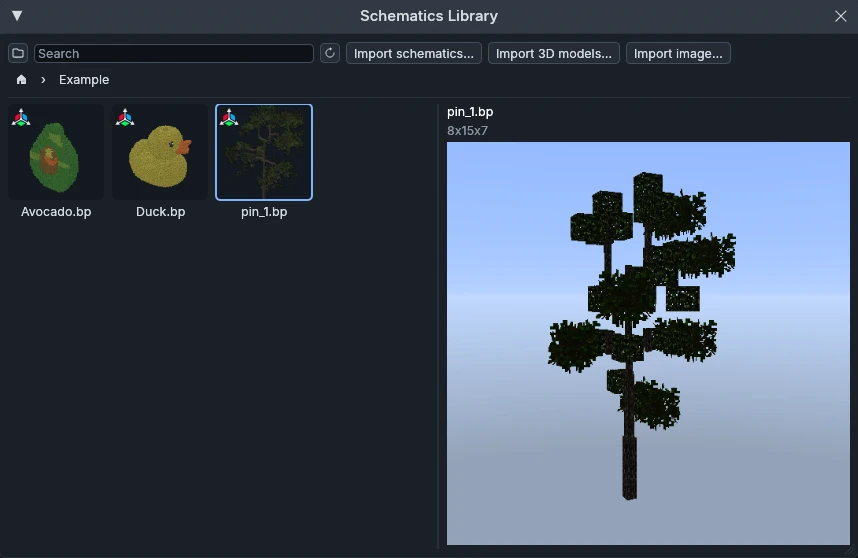
Open it from View → Schematics Library. Click a schematic to preview it in 3D on the right.
It gathers the builds you place on your maps, such as trees, rocks or houses: add them to an object layer to scatter them (From library… in the layer editor), or place a single copy by hand with the Place object tool.
Mod compatibility
Voxelier imports these three formats, and converts any schematic from one to another (right click → Convert to…):
- Axiom:
.bp - WorldEdit / Sponge:
.schem - Litematica:
.litematic
Import 3D models
.obj and .glb are voxelized into a .bp saved in the library, at an
adjustable resolution. A .glb carries its colors and maps them to the 16
Minecraft wool colors.
Import image
The same window voxelizes an image into a slab, one block per pixel in wool colors, laid flat or standing upright.
Layers library
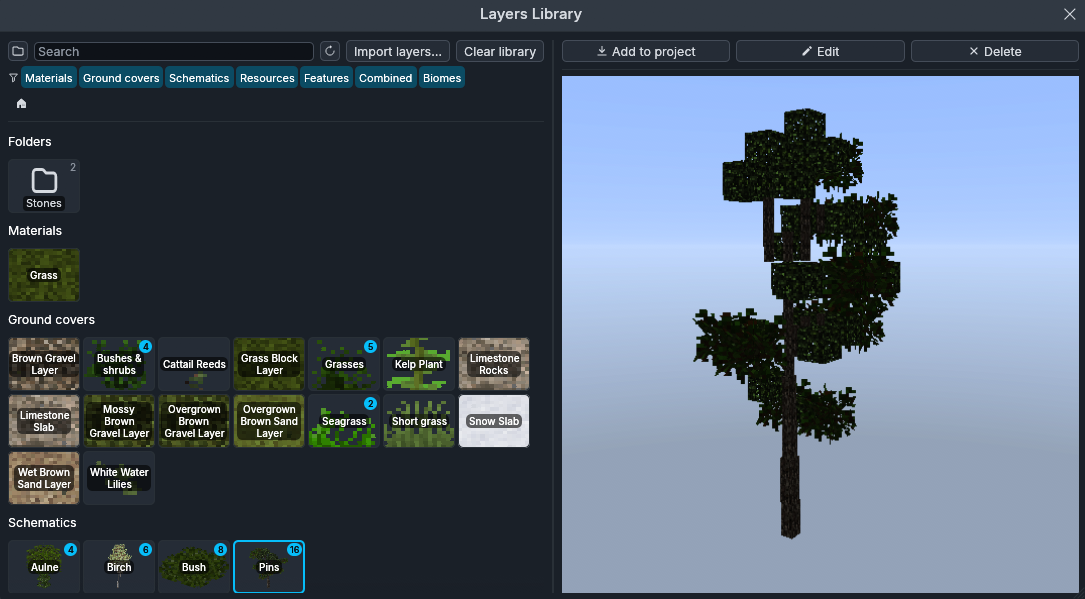
Open it from View → Layers Library, or with the library button of a layer category in the Layers panel. Click a layer to preview it in 3D on the right; the colored chips filter by category.
It keeps layers ready to reuse in any project: save one from the Layers panel
(right click → Save to library) or import .voxelierl files and whole
.voxelier projects, then Add to project wherever you need it.
A layer with the same name already in the library asks whether to Save a copy or Overwrite the old one. An identical layer is not saved twice.