Import
Everything below lives in the Import menu.
| Source | Formats | Goes to |
|---|---|---|
| Heightmap | .png .tif | Terrain heights |
| Colormap | any image | Materials & ground covers of the map |
| Layers | .voxelierl .voxelier | Project layers |
| Schematics | .schem .bp .litematic | Library |
| 3D models and images | .obj .glb .png .jpg .bmp .gif .tga .tiff .webp | Library (voxelized) |
| Mod JAR and resource pack | .jar .zip | Block and texture source |
| WorldPainter world | .world | A whole new project |
Heightmap
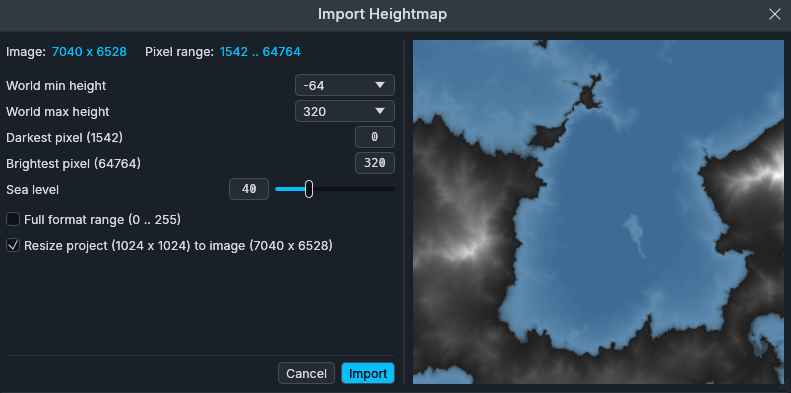
A grayscale image becomes the terrain heights. Decoded as 16-bit luma.
The dialog maps the pixel range onto an altitude range, and can resize the project to the image.
Colormap
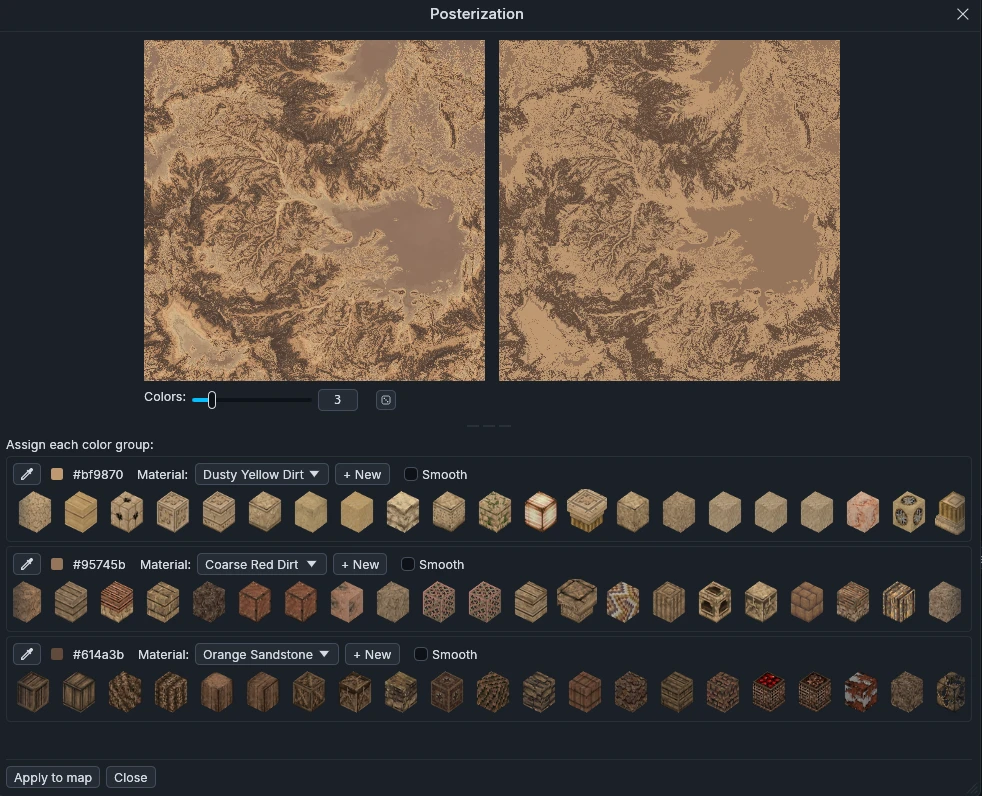
A color image mapped to blocks by nearest color. Posterization reduces it to N colors, each color being assigned to a material.
Layers
.voxelierl files are single layers exported from the Layers panel to be reused.
A .voxelier project brings in all of its layers, without touching the terrain.
Layers can also be reused between projects through the layers library.
Schematics
Adds .schem (WorldEdit / Sponge), .bp (Axiom) and .litematic (Litematica)
to the library, shared by every project. See the
schematics library.
3D models and images
.obj and .glb are voxelized into a .bp saved in the library, at an
adjustable resolution. A .glb carries its colors and maps them to the 16
Minecraft wool colors.
The same window voxelizes an image into a slab, one block per pixel in wool colors, laid flat or standing upright.
See Import 3D models and Import image in the libraries.
Mod JAR and resource pack
Both go to the Block and texture sources window. A mod JAR brings the block
IDs and textures of a Minecraft mod: its textures become visible and its block
names get autocompletion. A .zip resource pack replaces the textures on screen.
Top sources override the ones below.

WorldPainter world
Converts a .world into a new project at its original dimensions. The dialog
picks what to bring over: terrains, ground covers, schematic layers and 3D
objects, annotations, biomes.