Introduction
Voxelier is a native Minecraft terrain editor, designed as a modern, high-performance and more convenient alternative to WorldPainter. Written in Rust with GPU rendering, it works on very large maps and exports to a Minecraft world in seconds.
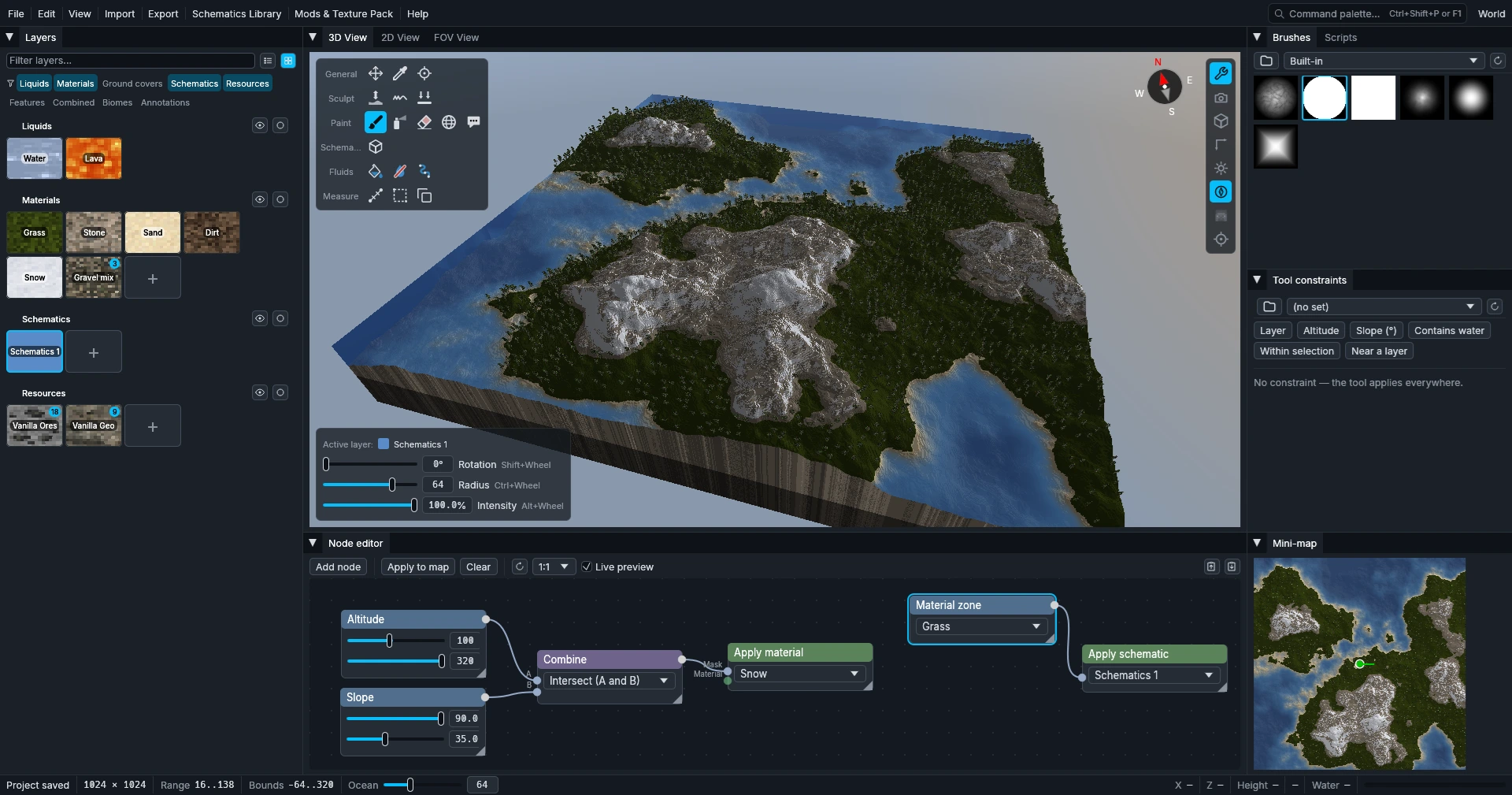
Documentation
- Installation — install on Windows or Linux, updates and requirements.
- Create a world — welcome window and new world settings.
- Overview — the main window and what each panel does.
- Tools — editing tools, with its controls and shortcuts.
- Libraries — schematics and layers shared by every project.
- Node editor — node-based terrain generation.
- Import — every format supported for import.
- Export — Minecraft world, heightmap and colormap, from the app or the command line.
- Scripting API — automate edits with Rhai scripts.
- Guides — step by step: real-world map from a heightmap.
- FAQ — common questions.
Highlights
- Real-time 3D editing — sculpt and paint in a navigable 3D view, with a first-person walk-through at player height.
- Performance first — GPU rendering, low and steady RAM, multi-core export, however big the map gets.
- Schematics library — import, place and convert Axiom, Litematica and WorldEdit schematics, or voxelize 3D models.
- Node editor — generate terrain procedurally with a visual graph.
- Scripting engine — extend the editor with Rhai scripts that read and write the whole map.
- Modded blocks & resource packs — paint with blocks from mod JARs and render through any resource pack.